
A well-built home office is a productivity multiplier and a back-saver at the same time. Most of the ones we walk into miss on the basics: the desk is too deep for the monitor distance, the chair seat pan is wrong for the user's height, the screen sits in front of a glare-heavy window, and every cable from the laptop ends in a knot on the floor. None of these problems are expensive to fix. They are expensive to fix badly.
This guide walks through the desk dimensions, chair picks, monitor arm logic, three layers of lighting, and the cable-management system that keeps a workspace looking like a magazine page instead of a server closet.
Desk Dimensions That Work
The desk depth most adults actually use is 28 to 30 inches. Anything shallower than 24 inches forces the keyboard too close to the monitor; anything deeper than 32 inches pushes the screen past arm's reach for short users. The width should match the load — a 48-inch-wide desk holds one monitor, a laptop, and a notebook; a 60-inch desk holds the same plus a second screen; a 72-inch desk carries a third monitor or a printer.
Height is where most home offices fail. The standard 29 to 30 inch sitting height works for adults between 5'6" and 6'0". For anyone below or above that band, the desk should match the user's elbow height when seated — measured from the floor to under the elbow with shoulders relaxed. Adults 5'10" and taller should consider a 31 to 33 inch fixed-height desk or a sit-stand model that adjusts between 24 and 50 inches.
For a one-monitor, one-laptop setup, a 55-inch-wide × 28-inch-deep fixed desk works. For two monitors and a tower, plan on at least 65 × 30. The Fully Jarvis bamboo top at $579 is the strongest value in the adjustable-height segment — the base adjusts from 24.5 to 50 inches, holds 350 pounds, and ships with a 5-year warranty on the motor. The Uplift V2 Commercial ($629 for the frame plus top) extends that range and adds a thicker top.
Standing-desk converters (the kind that sit on top of a fixed desk) are a cheaper fallback. The VariDesk ProPlus 36 at $395 elevates a laptop and monitor between sitting and standing heights without replacing the desk underneath. They wobble, they look like gym equipment, and they save you $200 over a real sit-stand frame.
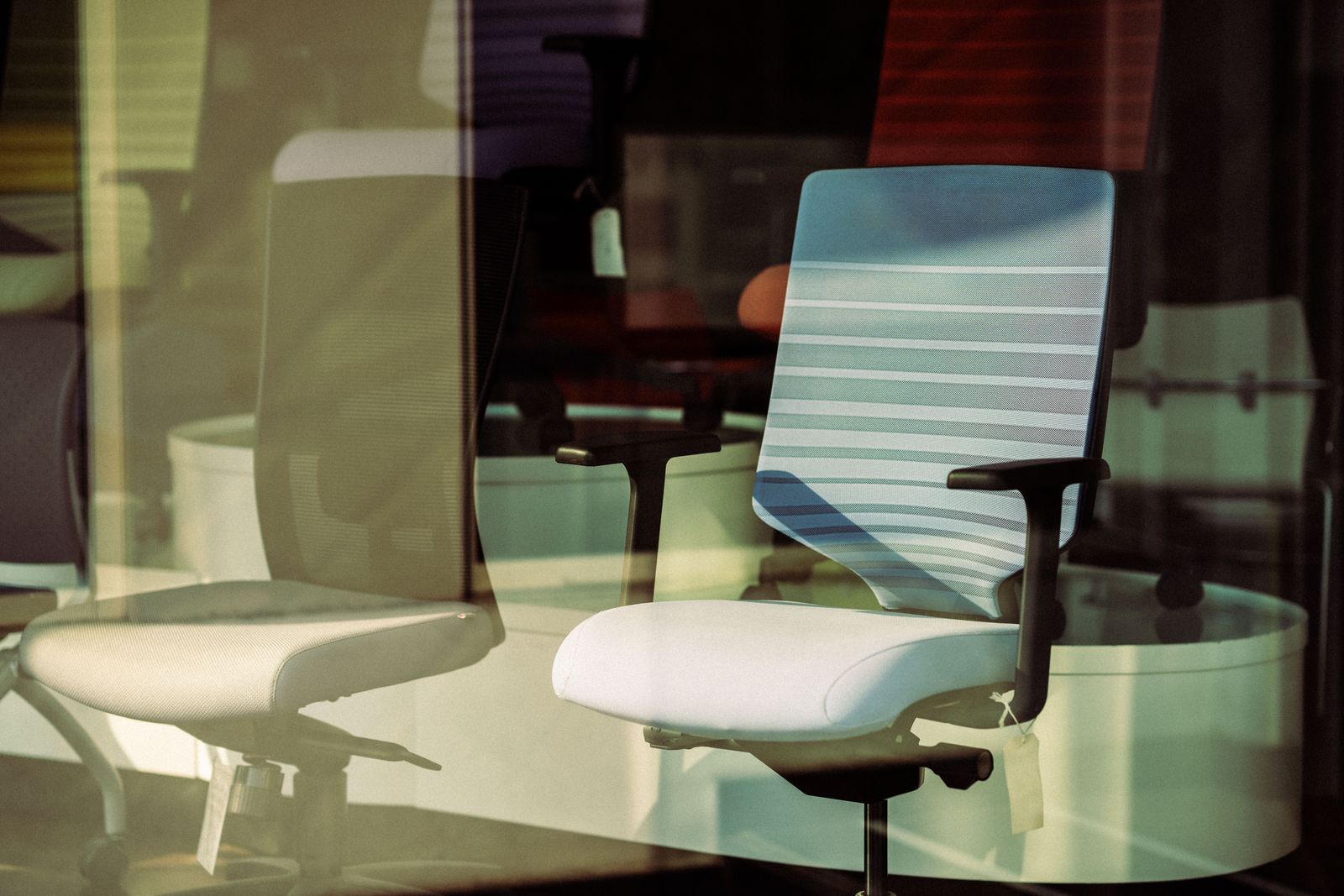
Chairs: The Single Most Important Purchase
The chair is the only piece of furniture that touches the body for eight hours a day. Everything else in this guide is a tiebreaker. We think of ergonomic chairs in three tiers by spend and adjustability.
Tier 1, $200 to $500. The Herman Miller Sayl ($395) and the Steelcase Series 1 ($449) are the two pass-throughs for first-time buyers. Both ship fully assembled, both hold a 300-pound user, and both adjust lumbar, armrest height, seat depth, and tilt tension. The IKEA Markus at $239 is the cheapest chair that doesn't actively hurt a long sitting session; the armrests are fixed, the lumbar is built into the mesh, and the warranty is ten years.
Tier 2, $500 to $1,200. The Steelcase Leap V2 ($1,099) and the Herman Miller Aeron remastered (size B at $1,495) are the two chairs that show up in Fortune 500 offices for a reason. The Leap's back flexes through the day without a dial. The Aeron's mesh seat runs cool and the PostureFit lumbar locks in the lower back. Both have a 12-year warranty.
Tier 3, $1,200 and up. The Herman Miller Embody ($1,895) and the Steelcase Gesture ($1,099 to $1,399) lead the category. The Embody distributes weight across a spine-shaped back that adjusts dynamically as you shift. The Gesture fits any posture, including the phone-on-shoulder slouch that kills most chairs.
Match the chair size to the user. Herman Miller's Aeron comes in size A (under 5'4"), size B (5'4" to 6'0"), and size C (over 6'0"). Steelcase's Gesture self-adjusts. The Series 1 ships in two seat depths.
Monitor Arms and Display Setup
A monitor arm is not a luxury. A 27-inch monitor on the included tilt-swivel base sits 4 to 6 inches higher than it should and forces the neck to bend 15 degrees to read email. The same monitor on a $129 gas-spring arm — Ergear, HUANUO, or Fully's Rodger — drops to eye level, tilts to match glare, and frees 6 to 10 inches of desk depth.
For a single-monitor setup, the Ergear single arm ($79) holds up to 32 inches and 19.8 pounds. For dual 27-inch monitors, the HUANUO dual ($169) or the Fully Jarvis dual ($189) is the right range. For ultrawide 34 to 49-inch displays, the Ergas HD dual or a single heavy-duty arm like the Fully Franken ($239) holds the weight without sagging.
The monitor's top edge should sit roughly level with the eyes, the screen tilted back 10 to 20 degrees, and the distance to the eyes between 24 and 30 inches — about an arm's length. Below 24 inches and the eye muscles work harder than they need to. Beyond 30 inches and small text starts to strain.
Place the screen perpendicular to the window, not in front of it. A backlit monitor is impossible to read in daylight; a side-lit monitor pulls half its brightness just to fight the glare. If the only wall is in front of the window, swap the desk 90 degrees so a glare-heavy window sits to the side, not behind the screen.
Lighting: Three Layers
One ceiling fixture is not enough light. A 60-watt equivalent overhead LED at 6 feet hits the desk at about 30 foot-candles; ergonomic reading work wants 50 to 75 foot-candles on the surface. Three layers make up the gap.
Ambient. A ceiling fixture or recessed LED at 3,000 to 4,000 Kelvin rated for the room's square footage. Most 10 by 10 offices want between 2,000 and 3,000 lumens. The Philips Hue White and Color Ambiance starter kit ($199) runs the ceiling for circadian tuning without rewiring.
Task. A desk lamp or monitor light bar that puts focused light on the keyboard and paper. The BenQ ScreenBar ($109 to $129) clamps onto the monitor and throws asymmetric light downward, away from the screen — the rare light bar that actually works for paperwork and screens at the same time. The Humanscale Nova ($395) is the higher-end pick.
Accent. A floor lamp in the corner (the IKEA Åskstaffer at $129 or the West Elm Mid-Century Floor Lamp at $349) fills the room with bounced light and reduces the contrast between the bright screen and the dark corners. Eye fatigue drops 30% when the ratio between screen brightness and room brightness comes in under 1:5.
Color temperature matters. Use 2,700K for evening work, 3,500K for general daytime, and 5,000K only for fine detail (drawing, modeling, sewing). Most modern lamps ship with tunable color in the same fixture; if yours does not, swap the bulb.
Cable Management That Stays Clean
Cables fail three ways: they drop behind the desk and never come back, they tangle in mid-air, and they short out where they pass over a sharp edge. The fix is three products.
Under-desk tray. A wire basket bolted to the underside of the desk holds a power strip, a backup drive, and the laptop brick out of sight. The Fully Cable Tray ($59) and the IKEA Signum ($10) are the two common picks.
Adhesive cable channels. 3M Command cable clips or the VELCRO brand ties ($8 to $12) hold a cable run along the back edge of the desk or down a table leg. Run the cables once and they stay.
A surge protector with USB. A 12-outlet surge protector with two to four USB ports (the Anker PowerExtend at $39 or the Tripp Lite TLP1208TELTV at $44) collapses five wall-wart bricks into one strip and adds a layer of surge protection that protects more than just the gear — it protects the warranty.
Run the cables in this order: monitor, laptop brick, phone charger, anything else, then the surge protector. Label the surge-protector side with painter's tape. You will thank yourself in six months when something fails.
Audio, Webcam, and the Quiet Stuff
Two more pieces matter for anyone on video calls more than twice a day. The built-in laptop mic and webcam are the most common failure of remote meetings — both look bad and sound worse under the LED panel lighting most home offices already have.
The Logitech C920s webcam at $69 is the entry point that noticeably outperforms any laptop camera. The C922 Pro at $79 steps up to 1080p at 30fps and adds a sturdier mount. For a step jump in image quality, the Insta360 Link at $299 adds 4K and a 3-axis gimbal that follows the speaker's face — the rare piece of gear that an interviewer's eyes will actually notice.
For audio, the Blue Yeti at $99 handles solo calls cleanly. The Shure MV7 at $249 is the broadcast-grade workhorse used by most podcasters and reviewers; it picks up the voice at the desk and rejects room noise, and it ships with both USB and XLR outputs so it survives a desk move or a future streaming rig. Pair either mic with a desktop boom arm (the Rode PSA1 at $99 or the Elgato Wave Mic Arm at $129) so the mic sits 4 to 8 inches from the mouth at all times.
Headphones matter too. The Sony WH-1000XM5 ($329) and the Bose QuietComfort Ultra ($429) lead the noise-cancelling category; both shut out a household in the next room. For long comfort without noise cancellation, the Logitech Zone Vibe 100 at $69 weighs 6.5 ounces and survives a 9-hour call without pressure on the ears.
Speaker output deserves a thought. The built-in monitor speakers are fine for system sounds but always activate the laptop mic on calls by accident. A small desktop speaker pair (the Audioengine A2+ at $199 or the Kanto YU2 at $159) disconnects the laptop speaker and eliminates the echo issue in one move.
The bottom line
Spend the chair money first, set the monitor at arm's length on an arm, and put light on the desk — most home office discomfort disappears the day those three things land correctly.